


Production Doesn’t Wait for a Ticket. We Don’t Either.
3Shadz keeps live applications observed, diagnosed and deliberately maintained after release, watching runtime behaviour and dependencies, tracing incidents to root cause, and turning what production reveals into corrective, preventive and adaptive maintenance, not a queue of unrelated fixes.
Ownership That Continues Once Users Depend On It
Application Support & Maintenance is the discipline of keeping software dependable for as long as it stays in use, watching how it behaves in production, investigating what goes wrong, and deliberately maintaining it as dependencies, platforms and business needs keep moving.
Go-live isn’t a finish line. The moment real users, real transactions and real integrations start depending on an application, its risk profile changes, and so does what reliability actually requires. 3Shadz takes on that responsibility: monitoring runtime behaviour and dependencies, investigating incidents to their root cause, and running corrective, preventive and adaptive maintenance so reliability doesn’t quietly decay after launch.
Most engagements begin on applications 3Shadz didn’t originally build: a system already carrying business-critical traffic, with partial documentation and an owner who isn’t entirely sure what’s happening in production right now. We start with a structured health and support-model assessment before taking on ongoing responsibility.
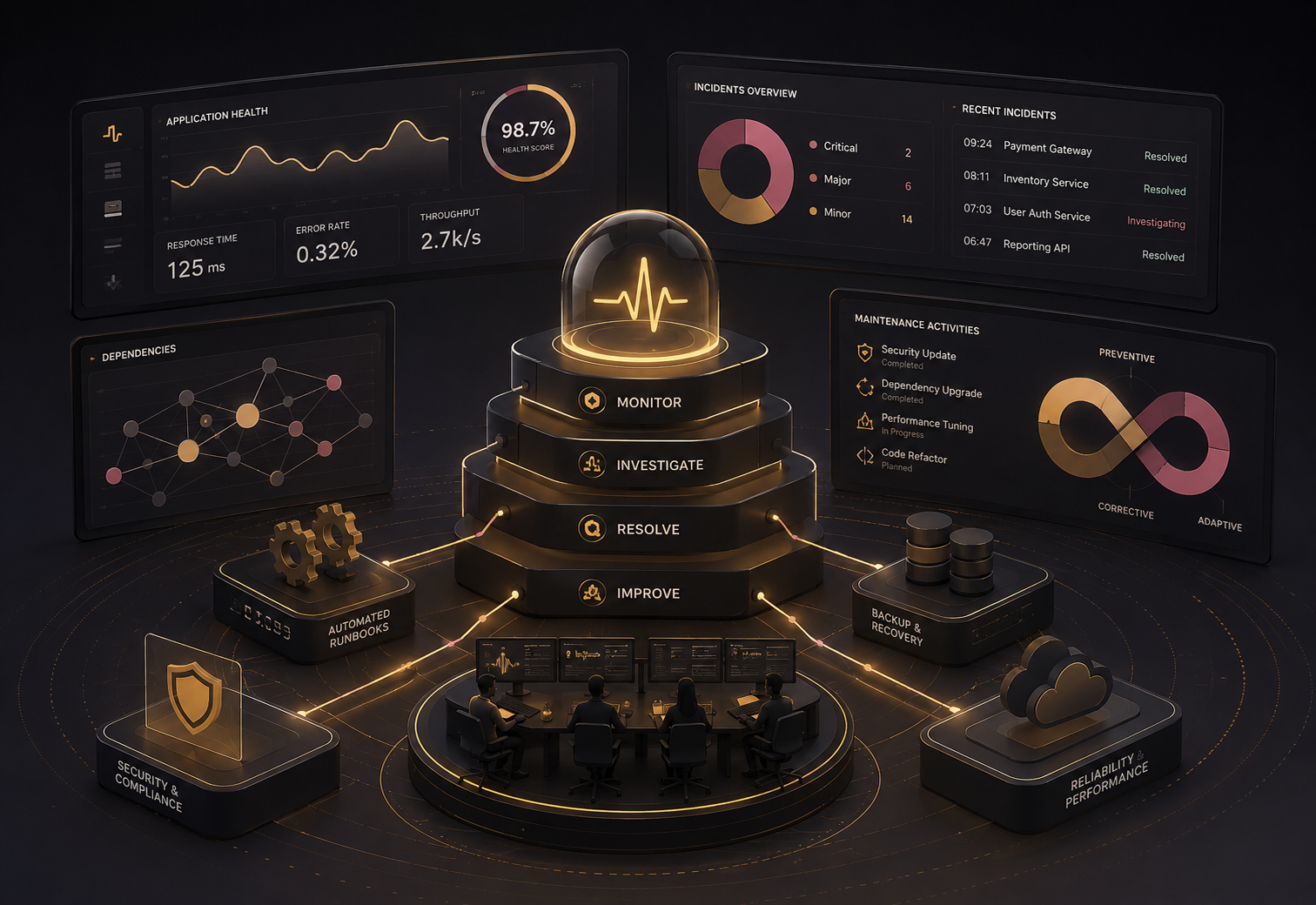
Resolving an Incident Is Only Part of the Work
Responding quickly to a support ticket closes the immediate problem. On its own, it doesn’t tell you whether the same failure is about to happen again somewhere else.
Structured Application Support & Maintenance doesn’t promise every incident is prevented: no honest support practice can. It shortens the distance between a symptom and an understanding of why it happened, so fewer failures repeat and more of what’s learned strengthens the application, rather than just closing a ticket.
Health Isn’t One Metric. It’s Several, Read Together.
A process that’s technically running can still be failing the people using it. Understanding application health means reading several signals together, not watching one dashboard number.
The same technical signal means something different depending on what it touches: a slow internal report is not the same problem as a slow checkout. Every signal below is weighed against what it actually affects before it’s prioritized.
Availability & Critical Journeys
Whether the application is reachable, and whether users can actually complete the workflows that matter, not just whether a health-check endpoint returns success.
Errors & Exceptions
Whether failures are increasing, recurring, or concentrated around a particular service, release or workflow, rather than scattered background noise.
Performance
Whether response times, processing times and user-facing interactions are holding steady or quietly degrading over time.
Dependencies
Whether the APIs, databases, queues and external services an application relies on are behaving the way it expects them to.
Resource Behaviour
Whether compute, memory, connection or storage constraints are shaping application behaviour before they turn into an outage.
Release Health
Whether behaviour changed after a deployment, configuration update, dependency change or migration, and whether that change was intended.
Restoring Service and Understanding Why Are Related, Not the Same
A disciplined path carries every production incident from first signal to a change that reduces the chance it happens again, without waiting for a full investigation before service is restored.
Signal
A monitor, alert or user report indicates something is wrong
Triage
Severity and business impact assessed, ownership assigned
Diagnosis
Logs, traces and recent changes examined for a likely cause
Containment
Blast radius limited while the fix is worked out
Recovery
Service restored and confirmed stable for affected users
Root Cause
Traced past the symptom to why it actually happened
Corrective Action
A durable fix applied, not just a workaround
Prevention
Monitoring, tests or automation strengthened so it’s less likely to repeat
Root-cause analysis isn’t paperwork produced after the fact: it’s the mechanism that turns a recurring symptom into a permanent fix. Restoring service and permanently improving the system are related activities, handled in that order, but neither replaces the other.
Maintenance Shouldn’t Only Happen When Something Breaks
These aren’t separate services: they’re different reasons the same application gets touched. Most support engagements run all four in parallel, weighted toward whichever the application currently needs most.
Fixing defects and production issues already affecting behaviour: a checkout step failing for one payment method, a report silently returning stale data.
Addressing emerging risk before it becomes an incident: an unsupported library version, a connection pool creeping toward its limit, a warning that’s been logged for months.
Updating the application as the platforms, APIs, browsers, cloud services or regulations around it change, not because the application’s own logic broke.
Improving performance, diagnostics, automation or maintainability based on what running in production actually teaches the team.
You Can’t Support What You Can’t See Happening
An application can’t be supported effectively if nobody can explain what it’s actually doing. 3Shadz works with the logs, metrics, traces and health checks an application already produces, or helps establish them where they’re missing, and connects them into something usable during diagnosis, not decoration on a dashboard.
“CPU at 62%”: alone, this tells you nothing about user impact.
“CPU sustained above 85% for 10 minutes, correlated with rising checkout latency”: this tells you where to look first.
More alerts don’t create better support. Useful visibility is actionable, appropriately prioritized, connected to what the application is actually doing, and available the moment someone starts diagnosing a problem.
What Postponed Maintenance Actually Costs
Every application accumulates some technical debt: that’s not automatically a crisis. The risk grows when it’s never assessed, prioritized or deliberately paid down, and starts showing up as aging dependencies, fragile integrations, repeated manual fixes and rising change risk.
Illustrative example of how a maintainability read-out is structured: every engagement starts with an assessment specific to your application.
The goal isn’t eliminating technical debt outright: that’s rarely realistic or even necessary. It’s making it visible enough to prioritize deliberately: paying down what carries real operational risk, and consciously accepting what doesn’t.
Supporting Change, Not Preventing It
Maintenance isn’t about freezing an application in place. It’s about helping teams change live software without losing operational understanding of what that change actually did.
Pre-Release Awareness
Understanding what’s changing, what it touches, and what to watch for once it’s live.
Deployment & Verification
Coordinating the deployment, running smoke and health checks, confirming the release behaves as expected.
Observe & Stabilize
Watching for behavioural change in the hours and days after release, and capturing what was learned for next time.
An Application That Doesn’t Become a Mystery After Go-Live
Software should get easier to understand and maintain as operational knowledge builds up, not harder.
Problems Are Visible Before They Become Guesswork
Application signals provide enough context to start investigating without relying entirely on user reports.
Incidents Produce Improvements
Recurring failures are traced past the immediate symptom, so corrective work reduces the chance they repeat.
Maintenance Becomes Planned
Dependencies, upgrades and known risks are prioritized deliberately, instead of accumulating until they force emergency work.
Releases Remain Observable
Teams can see how behaviour changes after a deployment and respond when a release does something unexpected.
Production Knowledge Feeds Engineering
Operational issues become input for better architecture, testing, monitoring, automation and future releases.
Applications Stay Changeable
Maintenance keeps software in a condition where necessary business and technical changes can still happen without disproportionate risk.
Production Findings Feed Back Into What Gets Built and Tested Next
QA & Software Testing builds confidence before release. Application Support & Maintenance preserves and improves that confidence once real users, transactions and integrations depend on the application, and what Support learns in production becomes an input the rest of the team can act on.
A cloud environment can be fully healthy while the application running inside it is failing its users. Managed Cloud Services under Cloud & DevOps focuses on infrastructure and platform operations; this practice focuses on the application’s own behaviour, defects, dependencies and releases. The two work closely together where an issue spans both layers.
Practical Tooling, Chosen to Fit Your Stack
We select monitoring, incident and diagnostic tooling around your existing environment and team, rather than standardizing on one vendor.
Observability & APM
- Datadog
- New Relic
- Grafana
- Sentry
Incident & On-Call Management
- PagerDuty
- Opsgenie
- Statuspage
Logging & Diagnostics
- Elastic (ELK) Stack
- Splunk
- CloudWatch Logs
Support & Release Tracking
- Jira Service Management
- Zendesk
- Azure DevOps
Application Support & Maintenance: Frequently Asked Questions
No. A help desk typically waits for someone to report a problem. Application Support & Maintenance also watches runtime behaviour and dependencies directly, investigates issues to their root cause, and runs planned preventive and adaptive maintenance, so ticket response is one part of the work, not the whole of it.
Priority is set by business impact and urgency, agreed with you up front: a failure affecting a critical transaction is handled differently from a low-severity issue on a minor feature. Most maintenance work, including upgrades and dependency updates, is scheduled deliberately rather than forced by an incident.
Yes. Most support engagements begin on applications 3Shadz didn’t originally build. We start with a structured technical assessment and knowledge transfer (understanding architecture, dependencies, known issues and existing documentation) before taking on ongoing responsibility.
By weighing operational risk against business impact and effort: an unsupported dependency behind a business-critical workflow is prioritized differently from a cosmetic issue on a rarely used screen. The goal is deliberate, prioritized maintenance, not upgrading everything on a fixed schedule or leaving everything untouched.
A defect that reaches production is traced to its root cause, corrected, and where useful, turned into a regression check so the same failure is caught earlier next time. That feedback loop is part of why Application Support & Maintenance and QA & Software Testing sit together under Quality Assurance & Support, rather than operating as unrelated services.
Response and resolution targets are agreed per engagement based on the application’s criticality and your support model. We won’t promise zero incidents or zero downtime, no honest support practice can, but response expectations are defined clearly, not left implicit.
Let’s Make Your Live Applications Observable, Stable and Worth Trusting.
Whether you need ongoing production support, a one-time application health assessment, or help clearing a backlog of deferred maintenance, our Application Support & Maintenance team can scope it around what your application actually needs.